May 2026 Pixel Update 5 Fixes for Wireless Charging & Camera Freeze: But Pixel 10 Users Read This Warning
I have been using Pixel phones for years, and I know one thing for sure: sometimes updates fix old problems but create new ones. So when Google released the May 2026 Pixel update on May 5, 2026, I decided to dig deep before hitting that "Install" button.
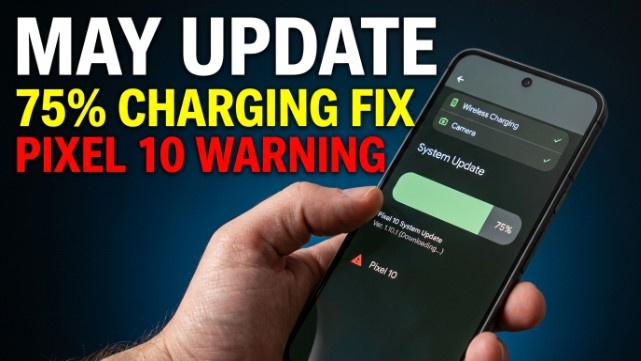
If you own a Pixel device running Android 16, this update is coming to your phone. It fixes some really annoying bugs like slow wireless charging and camera freezes. But there is a catch for Pixel 10 users that you absolutely need to know before you installA smartphone screen showing a software update download progress bar at 75% stuck. A frustrated hand holding the phone. A small green checkmark icon on "wireless charging" and "camera" labels. A warning red triangle icon next to "Pixel 10" text. Background is dark gradient blue to black. Text on thumbnail: "MAY UPDATE" in bold white, "75% CHARGING FIX" in yellow, and "PIXEL 10 WARNING" in red. Realistic 3D style. High contrast. Clean and simple. No clutter. Smartphone photography look. 16:9 aspect ratio..
Let me break down everything in simple words. No technical jargon. No fluff. Just what you need to know.
What is New in the May 2026 Pixel Update?
Google pushed this update to fix real problems that Pixel users have been complaining about for weeks. I have seen people on Reddit and Twitter yelling about slow charging and weird screen glitches. So this update is Google's answer to those complaints.
Here is what got fixed in the Android 16 May update.
Battery and Charging Fixes
The problem: When your Pixel phone battery was between 75% and 80%, wireless charging became super slow. I mean painfully slow. Some users said their phone took one hour to go from 75% to 80%.
The fix: Google has fixed this slow wireless charging bug. Now your phone will charge normally even when the battery is near full.
Which devices get this fix? All Pixel phones from Pixel 7a to Pixel 10a.
Camera Improvements
Google pushed this update to fix real problems that Pixel users have been complaining about for weeks. I have seen people on Reddit and Twitter yelling about slow charging and weird screen glitches. So this update is Google's answer to those complaints.
Here is what got fixed in the Android 16 May update.
Display and Graphics Patches
The problem 1: Some Pixel 10 Pro and Pixel 10 Pro XL users saw a persistent flickering white dot or weird visual noise at the top of their screen. It was not always there, but when it appeared, it would not go away easily.
The problem 2: Another issue made the screen look fuzzy, frozen, or show weird noise lines. This happened randomly on Pixel 10, Pixel 10 Pro, and Pixel 10 Pro XL.
The fix: Both of these display glitches are now fixed. Your screen should look normal again.
Which devices get these fixes?
- White dot fix: Pixel 10 Pro and Pixel 10 Pro XL only
- Fuzzy/frozen screen fix: Pixel 10, Pixel 10 Pro, Pixel 10 Pro XL
Framework and Keyboard Fix
The problem: In some apps, the keyboard or input screen appeared frozen or stuck in the wrong position. You could not type properly.
The fix: This keyboard freeze bug is now resolved.
Which devices get this fix? All Pixel phones from Pixel 7a to Pixel 10a.
Which Pixel Devices Get This Update? (Full List)
Google is rolling out this May Pixel update to devices running Android 16. Here is the complete list:
| Device | Update Status | Build Numbe |
| Pixel 7a | Getting update | CP1A.260505.005 |
| Pixel Tablet | Getting update | CP1A.260505.005 |
| Pixel Fold | Getting update | CP1A.260505.005 |
| Pixel 8 | Getting update | CP1A.260505.005 |
| Pixel 8 Pro | Getting update | CP1A.260505.005 |
| Pixel 8a | Getting update | CP1A.260505.005 |
| Pixel 9 | Getting update | CP1A.260505.005 |
| Pixel 9 Pro | Getting update | CP1A.260505.005 |
| Pixel 9 Pro XL | Getting update | CP1A.260505.005 |
| Pixel 9 Pro Fold | Getting update | CP1A.260505.005 |
| Pixel 9a | Getting update | CP1A.260505.005 |
| Pixel 10 | Getting update | CP1A.260505.005 |
| Pixel 10 Pro | Getting update | CP1A.260505.005 |
| Pixel 10 Pro XL | Getting update | CP1A.260505.005 |
| Pixel 10 Pro Fold | Getting update | CP1A.260505.005 |
| Pixel 10a | Getting update | CP1A.260505.005 |
Important note: The Pixel 6 series, Pixel 6a, and Pixel 7 series (except 7a) are not getting this update. Google has stopped monthly updates for these older devices.
The rollout starts today, May 5, 2026, but it might take a few weeks to reach every device. Carriers like Verizon, T-Mobile, and AT&T release the update in phases.
Important Warning for Pixel 10 Users
This is the most important section of this article. If you own any Pixel 10 series device, please read carefully.
What is Bootloader Anti-Rollback?
Let me explain this in very simple words.
Think of your phone's software like a staircase. Each step is a version of Android 16. Usually, you can go up and down the stairs. You can install a newer update, and if you do not like it, you can go back to an older version.
But with this May 2026 Pixel update, Google is removing the ability to go back down the stairs.
Once you install this update on your Pixel 10, Pixel 10 Pro, Pixel 10 Pro XL, or Pixel 10 Pro Fold, you cannot go back to any older Android 16 version. Period.
Does This Matter for Normal Users?
If you are a regular person who just uses their phone for calls, WhatsApp, Instagram, and taking photos, this warning does not really affect you. You would never want to go back to an older version anyway.
But if you are a developer, a phone tinkerer, or someone who likes to install custom software, this is a big deal. You cannot experiment with older builds anymore.
So my advice? Only install this update if you are 100% sure you will never want to downgrade.
How to Safely Install May 2026 Pixel Update
If you have decided to install the update, follow these steps. I recommend doing this even if you are a regular user. Better safe than sorry.
Pre-Update Backup Checklist (Do This First)
Before you do anything, take five minutes to back up your phone. I have seen updates go wrong. It is rare, but it happens.
Here is what you should do:
- Open Settings on your Pixel phone
- Tap on Google then Backup
- Make sure Backup by Google One shows "On"
- Tap Back up now to manually start a backup
- Connect your phone to Wi-Fi and charger
- Make sure your battery is at least 50% charged
What If I Do Not See the Update Yet?
Do not worry. Google releases updates in phases. It might take one or two weeks for the update to reach your phone.
You have two options:
- Wait patiently. The update will come automatically.
- Manually check every 2-3 days using the steps above.
Real User Questions Answered (FAQ)
I have been reading comments on Reddit and Twitter about this May 2026 Pixel update. Here are the most common questions people are asking.
Will this update fix my specific problem?
Maybe. The update only fixes the five problems I listed above. If you are facing a different issue, like battery drain or Wi-Fi disconnecting, this update might not help.
Google will probably fix those problems in a future update.
What is NOT fixed in this update?
This is something other websites are not telling you. Here is what Google did not fix in this May update:
❌ Battery drain issues from the April update (some users still report this)
❌ Wi-Fi disconnecting randomly
❌ Bluetooth pairing problems with some car systems
❌ Notification delays on some apps
❌ Overheating when using 5G for a long time
If you are facing any of these problems, do not expect this update to solve them.
Is this really the last Android 16 update?
Yes and no.
Yes — This is probably the last big bug-fix update for Android 16. Google is shifting focus to Android 17.
No — You might still get a small security patch in June 2026. But do not expect any new fixes for Android 16 after this month.
What is Next? Android 17 is Coming Soon
Google I/O 2026 is happening on May 19 and May 20. This is Google's big conference where they show off new software.
At this event, Google will likely announce the official release date for Android 17. Rumors say Android 17 will start rolling out to Pixel devices in late May or early June 2026.
So consider this May 2026 Pixel update as the final touch-up before the big Android 17 launch.
For more interesting info please visit in these pages : Used Mobiles And Mobiles
What Can You Expect in Android 17?
I do not want to spoil too much because Google has not confirmed everything yet. But based on the beta versions, here is what I am hearing:
- Better AI features integrated into the keyboard
- Improved battery management for older Pixel devices
- New privacy dashboard that is easier to understand
- Faster app opening times
Once Android 17 arrives, Pixel phones will get another big update. But for now, this May 2026 patch is what we have to work with.
Final Verdict: Should You Install May 2026 Pixel Update?
Let me give you my honest opinion after analyzing everything.
Install the update if:
- You are facing slow wireless charging between 75% and 80%
- Your Pixel 10 camera freezes while recording video
- You see a flickering white dot on your Pixel 10 Pro screen
- Your keyboard keeps freezing in certain apps
- You always want the latest security patches on your phone
Wait before installing if:
- You own a Pixel 10 series and you like to tinker with older software versions
- You are traveling or need your phone to be 100% reliable this week
- You want to see if other users report any problems first

Comments
Please login to post a comment
LoginNo comments yet. Be the first to comment!